Jukeboxes can be either local or remote. Local jukeboxes are best used when everyone is in the same place - like a house party or dinner or a road trip in a car.
To create a jukebox, tap the + icon in the navigation bar at the bottom of the screen (pictured below).
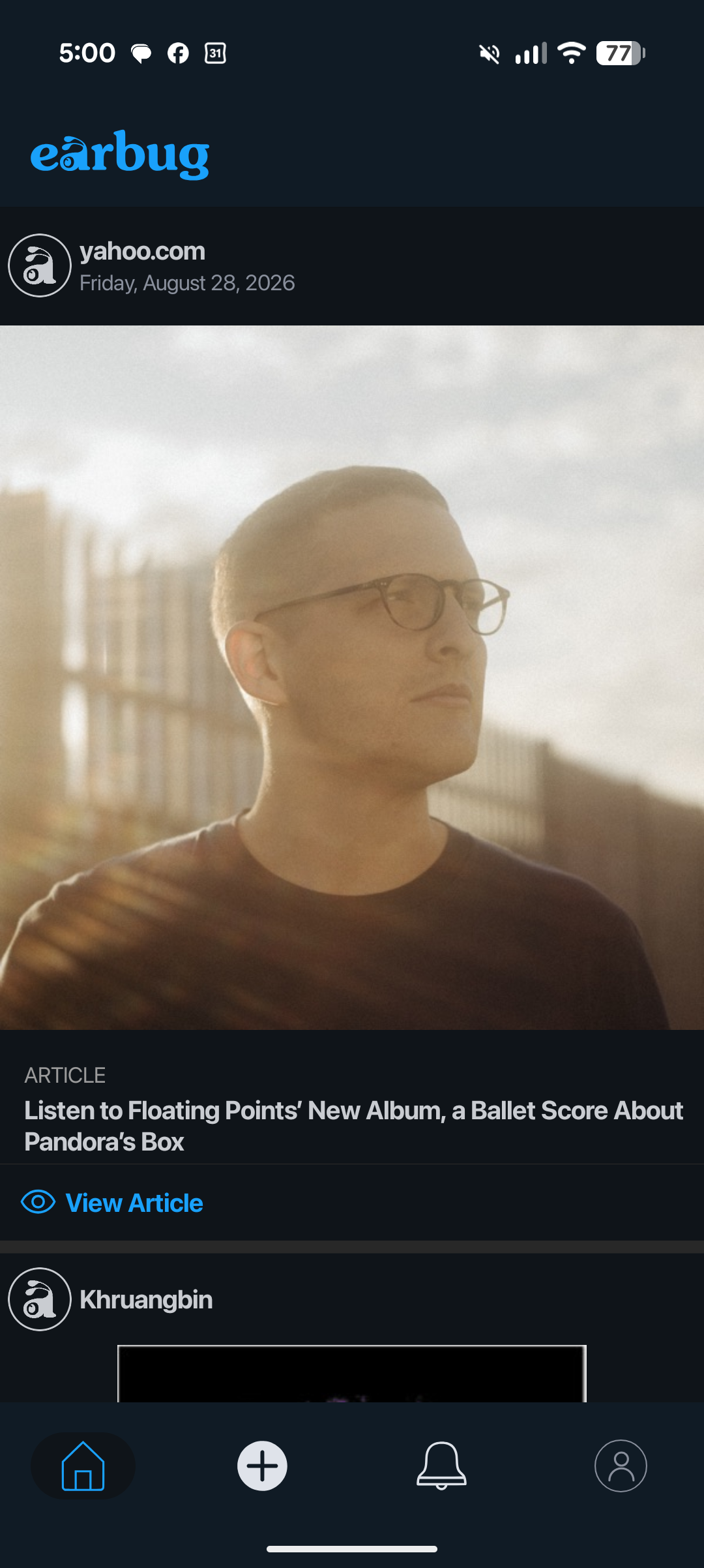
When you tap the + icon, the Create Jukebox page is displayed (pictured below).
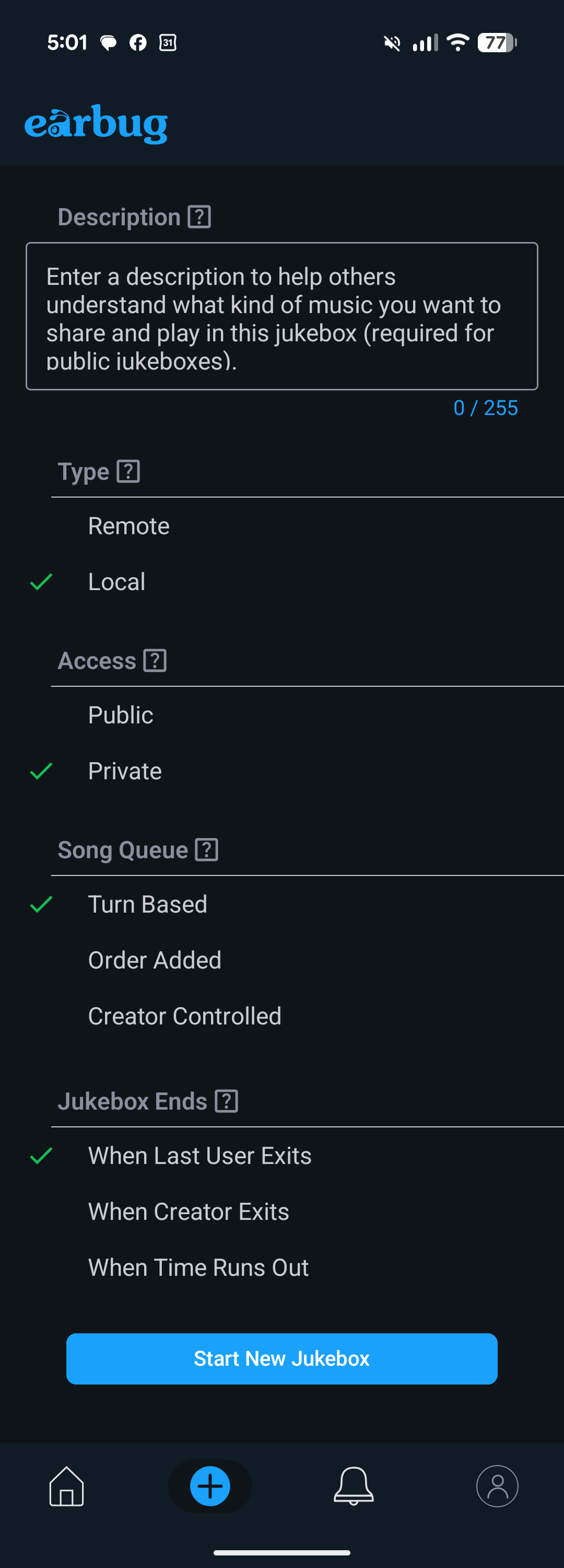
You have several options to configure when starting a local jukebox, as described below.
- Description - Descriptions are most useful for remote, public jukeboxes to attract other fans to join your jukebox. For a local jukebox, you don't need to enter a description.
- Type - Select local for this option.
- Access - Local jukeboxes are private by their nature (only those people in your same location can participate), so this option is automatically selected when you select the local option.
- Song Queue - This option lets you control how songs are ordered in the jukebox queue as they are added. "Turn based" plays one song added by each fan, so everyone gets a turn, before starting another cycle through everyone. "Order added" simply plays the songs in the order they were added to the queue. "Creator controlled" starts with the turn based option, but allows the creator to reorder, skip, or delete songs.
- Jukebox Ends - This option lets you control when the jukebox ends. "When last user exits" keeps the jukebox alive until there are no fans left to keep it going. "When creator exits" keeps the jukebox alive until the person who created the jukebox leaves it. "When time runs out" lets you select a specific amount of time you want the jukebox to exist before it ends.
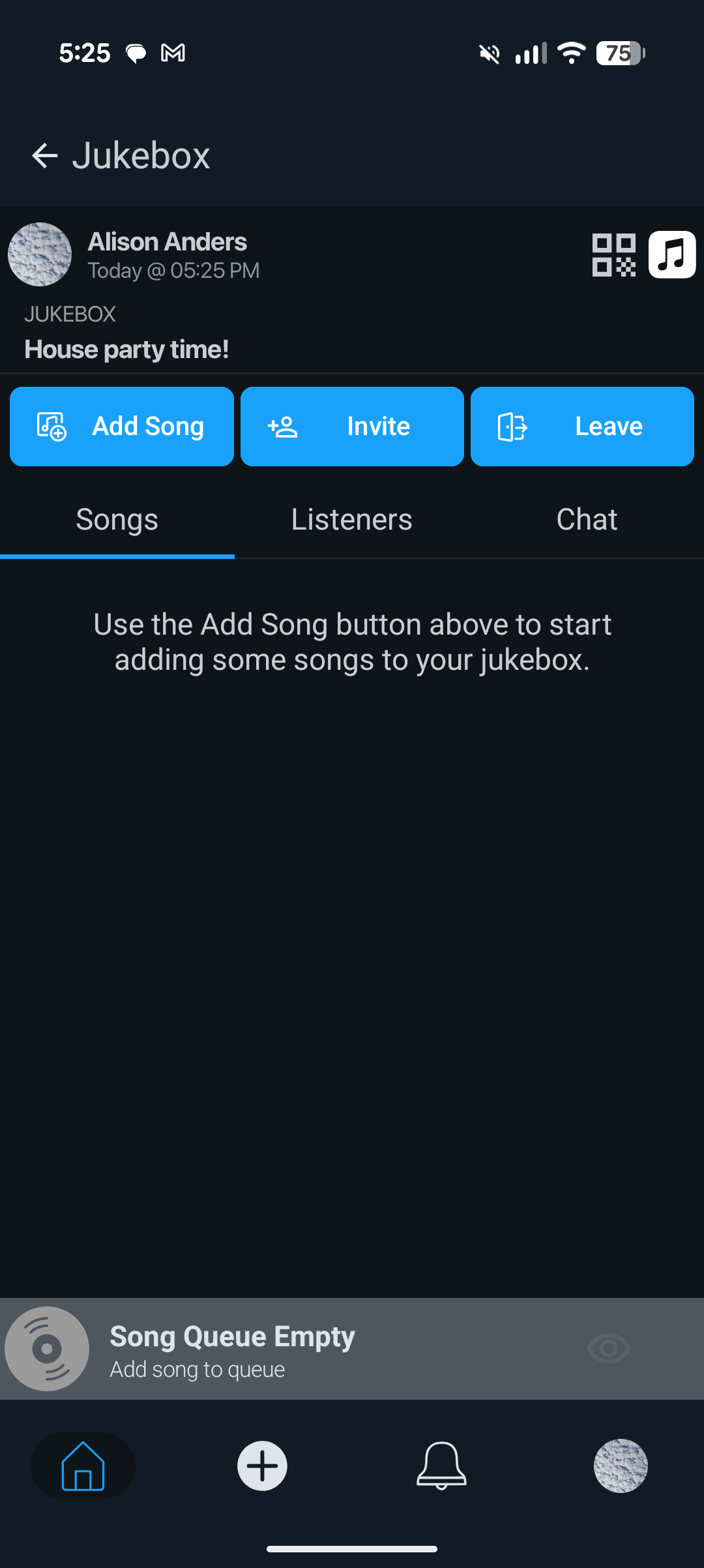
When you have selected the options you want, tap the Start New Jukebox button, and you'll see the jukebox page displayed (pictured below).
Was this article helpful?
That’s Great!
Thank you for your feedback
Sorry! We couldn't be helpful
Thank you for your feedback
Feedback sent
We appreciate your effort and will try to fix the article